Visite the store
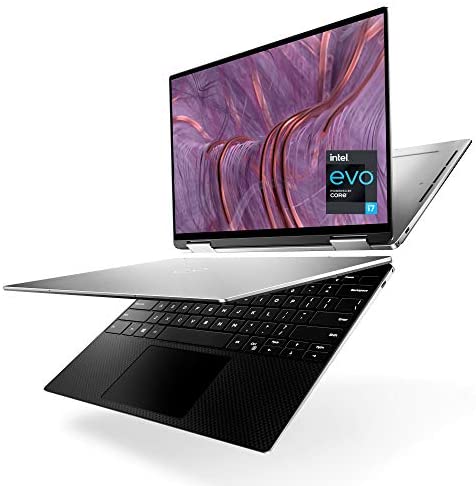
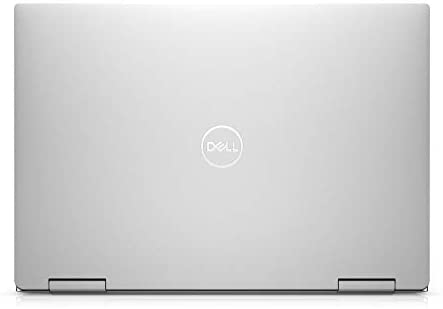
Dell 9310 XPS 2 in 1 Convertible, 13.4 Inch FHD+ Touchscreen Laptop, Intel Core i7-1165G7, 32GB 4267MHz LPDDR4x RAM, 512GB SSD, Intel Iris Xe Graphics, Windows 10 Home – Platinum Silver (Latest Model)
SALE 44%
 Pick up from the kaufland
To pick up today
Courier delivery
Our courier will deliver to the specified address
DHL Courier delivery
DHL courier will deliver to the specified address
Warranty 1 year
Dell 9310 XPS 2 in 1 Convertible, 13.4 Inch FHD+ Touchscreen Laptop, Intel Core i7-1165G7, 32GB 4267MHz LPDDR4x RAM, 512GB SSD, Intel Iris Xe Graphics, Windows 10 Home – Platinum Silver (Latest Model)
Original price was: €889.99.€500.00Current price is: €500.00.
19 in stock
Pick up from the kaufland
Free
Courier delivery
2-3 Days
Free
DHL Courier delivery
2-3 Days
Free
30 Day Money Back Guarantee
Warranty 1 year
Details
Series
XPS 13 2in1 (9310)
Brand
Dell
Specific Uses For Product
Multimedia, Personal, Business
Screen Size
13.4 Inches
Operating System
Windows 10 Home
Human Interface Input
Touchscreen
CPU Manufacturer
Intel


Features & details
- 13.4-inch 16:10 FHD+ (1920 x 1200) WLED touch display
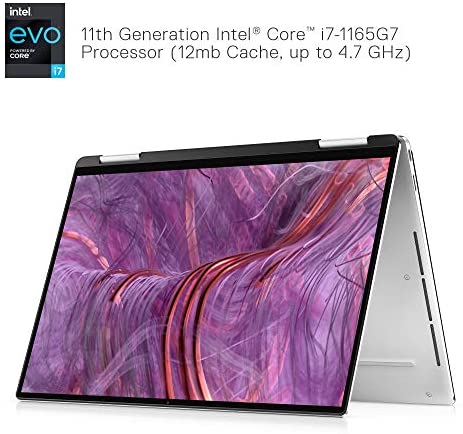
- 11th Generation Intel Core i7-1165G7 Processor (12MB Cache, up to 4.7 GHz)
- 32GB 4267MHz LPDDR4x, 512GB PCIe NVMe x4 SSD onboard
- Intel Iris Xe Graphics with shared graphics memory
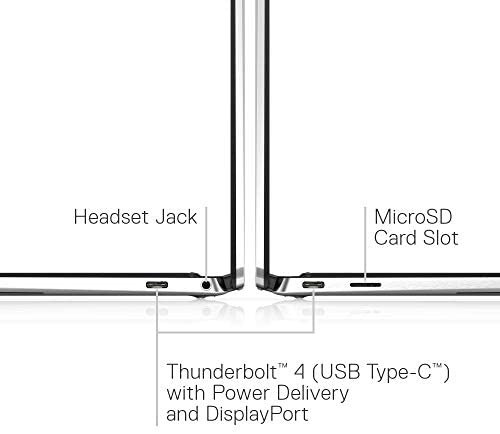
- Killer Wi-Fi 6 AX1650 (2×2) + Bluetooth 5.1
Product information Intel Core i7 11th Gen , 32 GB , 512 GB , Intel Iris Xe Graphics , 13.4″ 2-in-1
Summary
| Standing screen display size | 13.4 Inches |
|---|---|
| Screen Resolution | 1920 x 1200 pixels |
| Max Screen Resolution | 1920 x 1200 Pixels |
| Processor | 4.7 GHz core_i7 |
| RAM | 32 GB DDR4 |
| Memory Speed | 4267 MHz |
| Hard Drive | 512 GB ssd |
| Graphics Coprocessor | Intel Iris Xe Graphics |
| Chipset Brand | Intel |
| Card Description | Intel Iris Xe Graphics |
| Graphics Card Ram Size | 1 MB |
| Wireless Type | Infrared |
Other Technical Details
| Brand | Dell |
|---|---|
| Series | XPS 13 2in1 (9310) |
| Item model number | XPS9310-7108SLV-PUS |
| Hardware Platform | PC |
| Operating System | Windows 10 Home |
| Item Weight | 2.9 pounds |
| Product Dimensions | 8.15 x 11.69 x 0.56 inches |
| Item Dimensions LxWxH | 8.15 x 11.69 x 0.56 inches |
| Color | Platinum Silver with Black Palmrest |
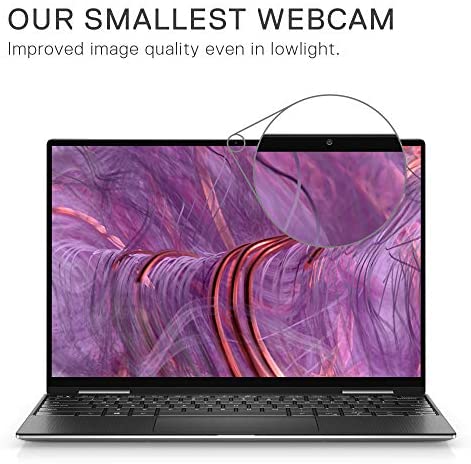
| Rear Webcam Resolution | 0.92 MP |
| Processor Brand | Intel |
| Processor Count | 4 |
| Computer Memory Type | DDR4 SDRAM |
| Flash Memory Size | 512 |
| Optical Drive Type | No Optical Drive |
| Voltage | 7.6 Volts (DC) |
| Batteries | 1 Lithium ion batteries required. (included) |
And the touchscreen sometimes doesn’t work
Highly recommended
First of all I never had a laptop with touchscreen so I’m getting used to it a little bit considering I’m a mouse kind of person but it sure is handy when you don’t have one or when we will be flying.
Sizing is perfect for us because this is our household laptop and take with us traveling, it’s light, fits perfectly in my purse or hubbys backpack, sizing is super universal.
Everything I streamed so far have fabulous performance, very enjoyable clear picture and sound just right, again very useful in a car or plane for our son.
I’m technically behind I think so I couldn’t figure out how to plug in the mouse but there is adapter that comes with it from USB to C that you can utilize but we also have Bluetooth mouse that works perfectly with it.
Speed is fantastic, no lagging, just smooth and fast, I mean I can’t ask for better experience. I’m utilizing it with my office products for some work stuff and home, really we using it for multifunctional purposes because it just can handle it on, small but mighty!
It’s quite, I use it with no issues when my baby snoozing next to me but it tends to get a bit hot when using it proactively with multiple things running, I might look into cooking pad for it at some point but I really try not to use it too much in bed.
We enjoy it, we really do, very user friendly just perfect for our family!
BACKGROUND: I've worked in the IT industry my whole career (over three decades) and have a boatload of computers over that time. I know computers, Windows-based computers in particular. And I know the Dell brand quite well as I have primarily bought Dell computers (because, it's better to go with the devil I know than the devil I don't know).
WHAT I LIKE:
- The Dell XPS 13 is wonderfully lightweight, durable, and good-looking (as much as a Windows computer can be)
- It's got a huge amount of RAM at 32GB
- I like that it has 512GB of SSD storage (but it really should've been upgraded to 1TB)
- The display looks great and I have less trouble with it because it's NOT a 4K display
- The system comes with minimal amount of bloatware (I had to get rid of McAfee though)
- The Dell Update utility makes updating most drivers very easy to do (including BIOS upgrades)
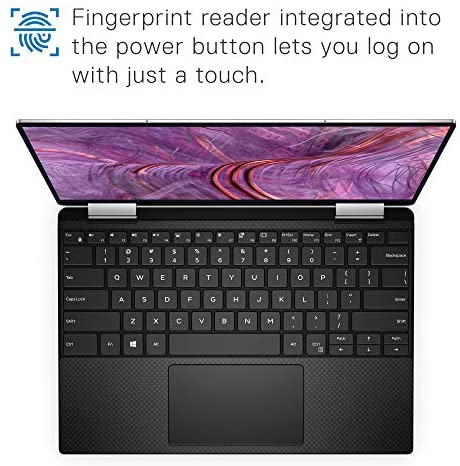
- This XPS 13 has a bigger keyboard than my other XPS 13 which is a few years older
- This XPS 13 has a slightly bigger touchpad, too, which I also like
- Functionality-wise, everything works as it's supposed to (and I've had it now for several weeks)
Note: I downloaded the Intel utility to easily update the Intel drivers that aren't included in the Dell Update utility. Between the Dell Update utility and the Intel driver update utility, it takes a couple of hours to setup this laptop. That duration also includes uninstalling McAfee anti-virus (I hate McAfee), installing Microsoft Office, plus doing all the normal Windows-based updates that you'll have to do, too. Plan on spending a long evening getting this laptop configured and fully updated.
WHAT COULD BE BETTER:
- The *worst* thing about this laptop is that Dell didn't use the wonderful Synaptics touchpad driver to operate the precision touchpad. Instead, it uses a standard Windows touchpad driver from 15 years ago. Once you use a Synaptics driver, you realize how terrible the standard Windows touchpad driver really is. For instance, there is no "Momentum" feature (swipe, and the mouse pointer keeps moving and slows down before stopping). Scrolling on a precision touchpad can feel jerky and imprecise using the Windows driver. And, no, you can't just download and install a Synaptics driver to replace the Windows driver. You're stuck with the standard Windows touchpad driver.
- Battery life is unremarkable for a laptop of this size
- For some, not having a 4K display might be listed as a "what could be better" item, and I'm listing that here although I actually find it easier NOT having a 4K display on a laptop, especially if you use this laptop with external monitors that aren't 4K displays.
- It comes with only the bare-bones warranty service. You'll have to pay extra to get in-home warranty service or accidental damage coverage
CONCLUSION: I hate the non-Synaptics touchpad driver so much, I would only give this laptop a 4.5-star rating (so, I'm rounding up to 5-stars). If this XPS 13 performs at least as well as the one I bought a year ago, then I'll be very happy with it.